
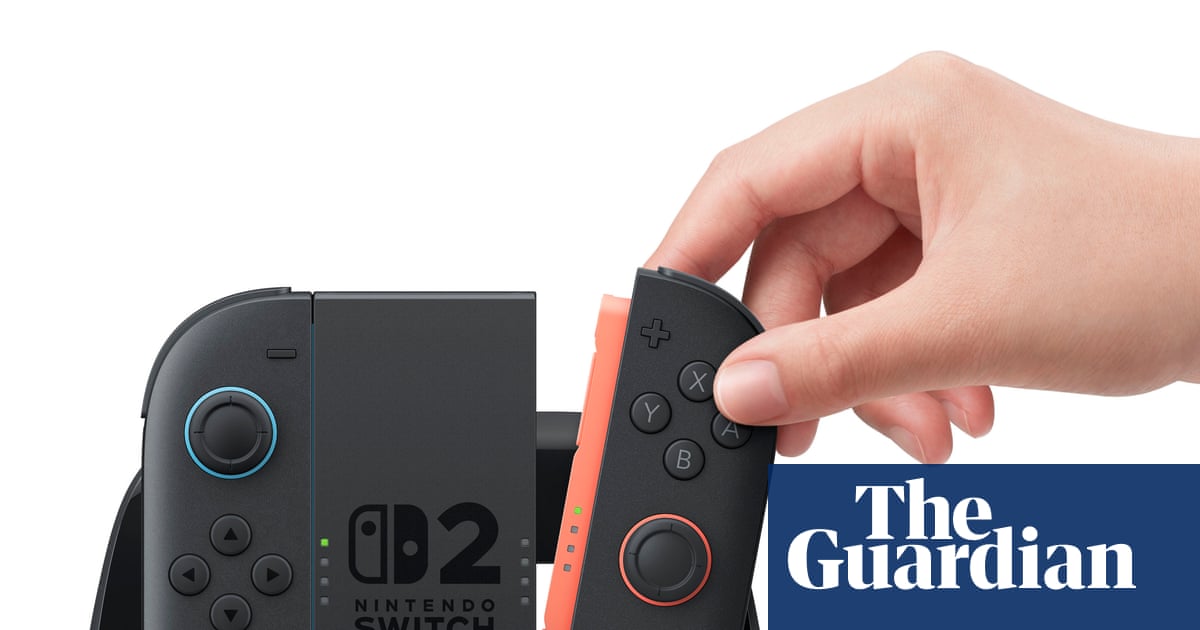
If you’re planning to pick up a Nintendo Switch 2, there’s a feature you’ll want to turn on right away — and it has nothing to do with new games. It’s about making your entire existing library look dramatically better than it ever did on the original hardware.
Nintendo has confirmed a new capability called Handheld Boost Mode, and for anyone with a collection of original Switch games, it could be one of the most immediately noticeable upgrades the new console offers. The difference isn’t subtle — it’s the kind of thing you’ll see the moment you load up a favorite game.
Here’s what it does, why it matters, and why you should enable it as soon as you power on your Switch 2 for the first time.
What Handheld Boost Mode Actually Does
The original Nintendo Switch had a 720p screen. That was its ceiling in handheld mode, no matter what game you were playing. When you docked it to a TV, games could push up to 1080p — but the moment you pulled it off the dock and played in your hands, you were back down to 720p.
The Switch 2 changes that equation entirely. Its screen runs at 1080p, which is a significant step up from its predecessor. But the hardware upgrade alone doesn’t automatically make old Switch 1 games look better in handheld mode — that’s where Handheld Boost Mode comes in.
When you enable this feature, Switch 1 games running on the Switch 2 will target 1080p resolution in handheld mode, rather than being capped at the old 720p limit. The result, according to Nintendo, is that playing a Switch 1 game in handheld on the Switch 2 will give you a very similar image to what you’d see when playing that same game docked on the original Switch.
Think about that for a moment. The handheld experience now matches what used to require plugging into a television. That’s a meaningful quality-of-life upgrade for portable play.
Why This Is a Bigger Deal Than It Sounds
Resolution differences can sound like dry technical specs — numbers that only matter to hardware enthusiasts. But the jump from 720p to 1080p on a handheld screen is something most players will actually notice, especially on a modern display.
Sharper text, cleaner edges on character models, more detail in environments — these are the kinds of improvements that make a game feel more polished and less like you’re squinting at a compressed image. For games with dense UI elements or detailed art styles, the difference can be especially striking.
The fact that this applies broadly to the Switch 1 back catalog is what makes Handheld Boost Mode worth paying attention to. You don’t need to wait for new Switch 2 titles to take advantage of it. Load up something you’ve already played dozens of hours of, and it may look noticeably better than you remember.
Handheld Boost Mode at a Glance
| Feature | Original Switch (Handheld) | Switch 2 with Handheld Boost Mode |
|---|---|---|
| Screen Resolution | 720p | 1080p |
| Switch 1 Game Resolution (Handheld) | Up to 720p | Targets 1080p |
| Comparable Visual Quality | Handheld mode only | Similar to Switch 1 docked (TV mode) |
| Requires New Games | N/A | No — works with Switch 1 back catalog |
Who Benefits Most From This Feature
If you primarily play in handheld mode — on a commute, in bed, or away from your TV — Handheld Boost Mode is directly aimed at you. The original Switch was beloved for its portability, but its handheld resolution was always a compromise compared to what the docked experience could deliver. That compromise is now largely eliminated.
Players who own a large library of Switch 1 titles stand to gain the most. You’re essentially getting a visual upgrade across dozens of games you already own, without spending anything extra beyond the Switch 2 hardware itself.
It’s also worth noting that this feature needs to be enabled manually — it isn’t on by default, based on how Nintendo has described it. That means if you don’t go looking for it in the settings, you could miss out on a noticeable improvement sitting right there in your console’s menu.
How to Make Sure You Don’t Miss It
Nintendo hasn’t released a full step-by-step settings walkthrough for Handheld Boost Mode publicly yet, but the key takeaway is clear: when you set up your Switch 2, look for this option and turn it on. Don’t assume the console will automatically run your old games at the best possible quality out of the box.
It’s the kind of setting that rewards players who take a few minutes to explore the system options before jumping straight into a game. A small upfront effort, and every Switch 1 title in your library gets a meaningful visual refresh.
The Switch 2 is shaping up to offer a range of improvements beyond raw new-game performance — and Handheld Boost Mode is one of the clearest examples of Nintendo thinking about the players who’ve invested in its ecosystem for years.
Frequently Asked Questions
What is Handheld Boost Mode on the Nintendo Switch 2?
It is a new feature on the Switch 2 that allows original Switch 1 games to target 1080p resolution in handheld mode, up from the original Switch’s 720p maximum.
Does Handheld Boost Mode work on new Switch 2 games?
Based on the information available, Handheld Boost Mode is specifically described as improving the image quality of original Switch 1 games on the Switch 2’s handheld screen.
Is Handheld Boost Mode enabled automatically?
Nintendo has described it as a feature you’ll want to enable, which suggests it is not turned on by default and needs to be activated in the console’s settings.
How does the visual quality compare to playing on a TV?
According to Nintendo, enabling Handheld Boost Mode produces a very similar image to what you would see when playing a Switch 1 game docked in TV mode on the original Switch.
Do you need to buy new games to benefit from Handheld Boost Mode?
No. The feature applies to existing Switch 1 titles played on the Switch 2, so your current library can benefit without any additional purchases.
What screen resolution does the Nintendo Switch 2 have?
The Nintendo Switch 2 features a 1080p screen, compared to the 720p display found on the original Nintendo Switch.


Leave a Reply